
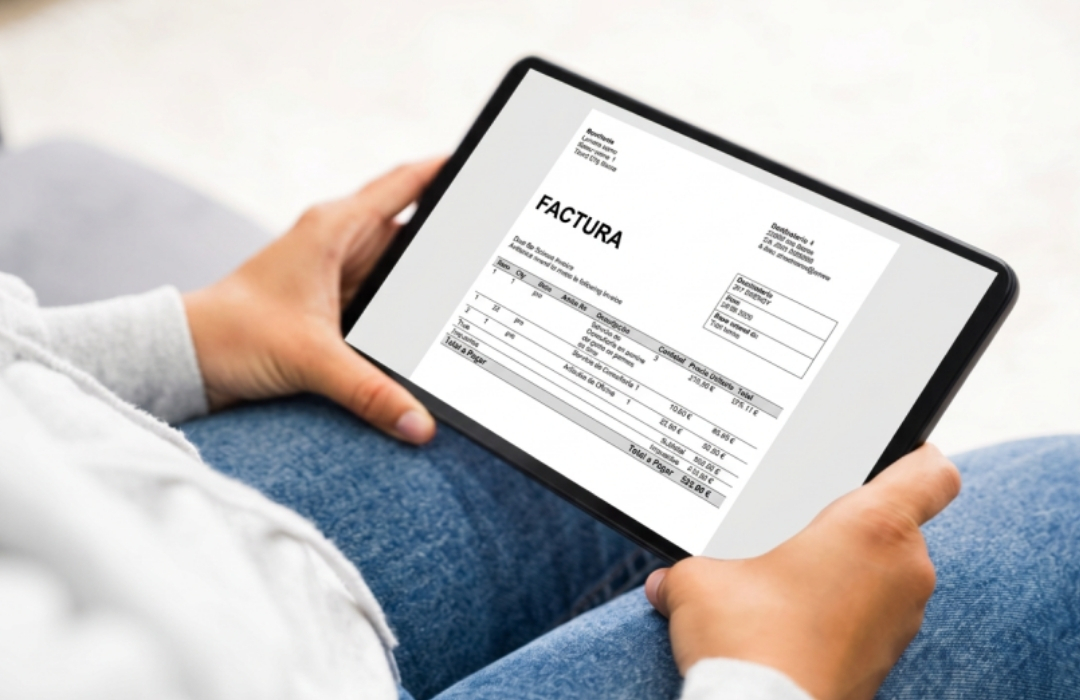
SANTO DOMINGO— If you own a business in the Dominican Republic, whether large or small—a store, a construction company, a real estate agency, a hotel, or a medical practice—this directly affects you. Electronic invoicing is now mandatory in the country. And although the DGII (Dominican Republic's Internal Revenue Service) has just granted smaller businesses an additional six months, this extra time doesn't mean the matter can wait. It simply means you have until November 15, 2026, to implement it.
This guide explains what electronic invoicing is, who it applies to, the deadline, how to take each step to comply, and what the consequences can be if you don't.
The basics: what this is and why it matters
A paper invoice is no longer enough
Think about the last time you asked for an invoice at a business. You were probably given a printed slip with a receipt number. That's what most small and medium-sized businesses use today. Law 32-23 on Electronic Invoicing, passed on May 16, 2023, mandates that this method of invoicing must change: all invoices must be issued digitally, in a standard format, electronically signed, and sent in real time to the General Directorate of Internal Taxes (DGII, or Internal Revenue Service).
It's not voluntary. It's not just for large companies. It's mandatory for virtually every business operating in the country.
What is an electronic invoice?
An electronic invoice works just like a paper invoice: it records a sale or service provided, states the cost, and serves as legal and tax documentation for the transaction. The difference is that it's not printed: it's generated in a special digital format (called XML), electronically signed to guarantee its authenticity, and automatically sent to the Internal Revenue Service (DGII) as soon as it's issued.
Legally, these electronic invoices are called e-CFs (Electronic Tax Receipts). Once signed and sent to the DGII, they cannot be modified.
Who is involved?
Three actors are involved in each electronic invoice transaction:
- The seller (Electronic Issuer): the one who issues the invoice. They must be authorized by the DGII to do so.
- The buyer (Electronic Recipient): the one who receives the invoice.
- The DGII: receives each invoice instantly, validates it and registers it in the system.
Who does it apply to and when?
The law did not set a single date for everyone. It did so in stages, starting with the largest companies:
| What type of business is it? | Sincewhen are you required to invoice electronically? |
| Large National Taxpayers (the largest companies in the country) | From 2024 — they are already obligated |
| Large and Medium Local Taxpayers | From November 2025 — they are already obligated |
| Small, Micro and Unclassified | November 15, 2026 (including extension) |
If you don't know which category you fall into, you can check it using your RNC (National Taxpayer Registry) on the DGII (General Directorate of Internal Revenue) website. If your name doesn't appear on the lists of Large National Businesses or Large Local and Medium Businesses, then you belong to the small, micro, and unclassified business groups, and your deadline is November 15, 2026.
The extension that the DGII announced in May 2026
On May 6, 2026, the DGII (Dominican Republic's Internal Revenue Service) officially announced that small, micro, and unclassified businesses would have an additional six months to implement electronic invoicing. The deadline, which was May 15, 2026, was extended to November 15, 2026. This extension applies automatically to all businesses in this group; no request or special procedure is required to benefit from it.
However, the DGII made it clear that, once this new deadline has passed, businesses that have not implemented the system will incur tax violations with real penalties.
And what about state institutions?
Government entities were also required to join the system: those classified as Large Nationals from May 2024, and the others before May 15, 2026.
The ten types of electronic invoices: which one to use in each case
Not all electronic invoices are the same. The law defines ten different versions depending on the type of transaction. Each one has a number that appears in the invoice code:
- Type 31 — Tax Credit Invoice: This is the most common type of invoice used by businesses. It is used when selling to another company or taxpayer who needs to substantiate an expense or claim a tax credit from the DGII (Dominican Republic's tax authority). It is the electronic equivalent of the invoice with tax value currently in use.
- Type 32 — Consumer Invoice: for sales to end customers who do not require tax credit. If you own a shop, restaurant, or provide a service to the general public, this is your everyday invoice.
- Type 33 — Debit Note: This is used to collect an additional charge after an invoice has been issued. For example, late payment interest or freight charges that were not included. It can only be issued to the same customer as the original invoice.
- Type 34 — Credit Note: the opposite: it is used to correct or cancel an invoice already issued, apply subsequent discounts, or record returns. It is also addressed to the same customer as the original invoice.
- Type 41 — Purchase Receipt: used when you buy something from someone who is not registered as a taxpayer with the DGII.
- Type 43 — Minor Expenses: to record small payments made by employees on behalf of the company: tickets, parking, consumables, tolls and similar.
- Type 44 — Special Regimes: to invoice companies or individuals who have exemptions from ITBIS or ISC because they are covered by special laws approved by Congress.
- Type 45 — Governmental: exclusively for sales to the Central Government, decentralized institutions, social security or any State entity that does not have commercial activity.
- Type 46 — Exports: for reporting sales of goods outside the country. Used by national exporters, free trade zones, and commercial free trade zones.
- Type 47 — Payments Abroad: for payments of money to people or companies that live outside the Dominican Republic and that generate income from Dominican sources, with the obligation to withhold Income Tax.
Each electronic invoice has a 13-character number that identifies it: the letter "E", two digits indicating the type, and ten sequence digits.
How to implement electronic invoicing: the complete official process
PHASE 1: Preparation (what to do before touching the DGII page)
Step 1: Verify the RNC status
Before starting any procedure, you must ensure that the business's National Taxpayer Registry (RNC) is active and up-to-date with all tax obligations: filed returns, taxes paid, and nothing outstanding.
To verify this: go to dgii.gov.do → "Inquiries" section → "Taxpayer Status" → enter the RNC.
If there are any outstanding debts or overdue returns, this must be resolved before proceeding. The DGII does not process applications from issuers with an RNC in an irregular status.
Step 2: Designate the e-CF Administrator User
You must designate the person responsible for managing the business's electronic invoices with the DGII (Dominican Republic's tax authority). This person is called the e-CF Administrator User. This
can be the business owner, manager, or legal representative, but they must be listed in the company's RNC (National Taxpayer Registry) as a partner, administrator, shareholder, representative, or other figure recognized by the DGII. It cannot simply be the accountant if they do not have a formal relationship registered in the RNC.
How to do it: Access the DGII's Virtual Office (OFV) at ofv.dgii.gov.do → "Requests" menu → "RNC Update" → complete the form with the designated person's information → attach the required documents (signed request letter and, in the case of legal entities, a copy of the updated Commercial Registry) → submit the request.
Step 3: Obtain the Digital Certificate (electronic signature)
To issue electronic invoices, the responsible party needs a digital signature. This is called a Digital Certificate for Tax Procedures and functions as a personal electronic seal that guarantees each invoice is authentic and has not been altered. It is mandatory for everyone, even those using the DGII's free tool.
This certificate can only be obtained from entities authorized by INDOTEL. Currently, there are three options available in the country:
The process at each of these entities includes an application, identity verification, and certificate issuance. The timeframe varies depending on the provider, but it generally takes between 1 and 5 business days.
Important points about the certificate:
- It must be in the name of the business owner or their authorized representative. It cannot be in the accountant's name.
- It is valid for 1 to 2 years depending on the provider, and must be renewed before it expires.
- For those who use the DGII Free Billing System, the certificate issued by that tool is valid for one year and is for exclusive use on that platform.
Step 4: Choose how the invoices will be issued
There are three ways to generate electronic invoices. This decision is important to make before starting the process with the DGII because it determines the certification process:
Option A — Custom Development System: For companies with an in-house technology team that want to build their own invoicing software. This requires meeting the DGII's technical specifications and passing a more technical certification process. It is the option for medium-sized or large companies with internal capabilities.
Option B — Certified Service Provider: A specialized company with a fully operational system is contracted. This is the most common option. The provider must be certified by the DGII (Dominican Republic's tax authority). The list of authorized providers is available at dgii.gov.do.The initial certification process is done with a single provider, although it is possible to use several providers later for different parts of the process.
Option C — Free Invoicing Tool from the DGII: The Internal Revenue Service offers a free tool for issuing electronic invoices. It is designed for small businesses, independent professionals, and individuals with low sales volume (approximately up to 150 invoices per month). Those who choose this option do not need to complete the full technical certification process, but they must have a digital certificate. The disadvantage: users of the Free Invoicing Tool cannot access the tax incentives offered by law.
PHASE 2: The application to the DGII (the official procedure)
Step 5: Access the Virtual Office and complete the application form
With the active RNC, the designated administrator user, and the digital certificate in hand, the formal process can begin.
How to do it:
- Enter the Virtual Office (OFV) at ofv.dgii.gov.do with the business credentials.
- Look for the Electronic Billing or e-CF section within the menu.
- Complete the Application Form to become an Electronic Issuer (form FI-GDF-016). This form requests: business name, RNC (Taxpayer Identification Number), tax address, economic activity, legal representative information, technical contact information, and the invoicing software to be used.
- Submit the application.
The DGII reviews the information and responds within approximately 2 to 5 business days. If the application is approved, the business receives access to the technical certification portal for the next step.
PHASE 3: Technical certification (only for those using their own system or a provider)
Those who chose the Free Billing option can skip this phase and go directly to Phase 4.
Step 6: Enter the test environment
Once the application is approved, the DGII grants access to the testing environment, called TesteCF. This is where the system is demonstrated to be able to generate, sign, and send electronic invoices correctly before doing so in the real world.
Step 7: Send the set of 25 test documents
The DGII requires businesses to submit a set of exactly 25 test documents
covering the types of e-CFs they will use in their operations. This set must include a combination of:
- Tax credit invoices (Type 31)
- Consumer invoices (Type 32)
- Debit notes (Type 33)
- Credit notes (Type 34)
- Other types depending on the business activity
Each document must be digitally signed with a valid certificate and submitted in the DGII's standard XML format. The system validates three aspects of each document: that the XML format is correct, that the digital signature is valid, and that the business rules (sequences, amounts, relationships between documents) are met.
If a document is rejected, the error must be corrected and the document resubmitted. The most common errors are: incorrect XML structure, misconfigured numbering sequences, missing required fields, or credit notes referencing incorrect invoices in the set.
This step can take anywhere from a few days to several weeks, depending on the technical expertise of the business team or whether they are working with a certified provider that automates the process.
Step 8: Sign the affidavit
Once the DGII validates and approves the 25 documents, the process moves to the final technical stage: the sworn statement. This is a formal document in which the business commits to complying with current regulations, maintaining digital records for the period required by law, and having the electronic tax receipts (e-CF) available if requested by the DGII.
The sworn statement is signed digitally through the Virtual Office. It does not require visiting any office or submitting physical documents.
PHASE 4: Official authorization and activation
Step 9: Receive the authorization resolution
Once the sworn statement is signed (or the Free Billing application is approved), the DGII issues the official resolution authorizing the business as an electronic issuer. This resolution includes the authorization number and the date from which it can issue legally valid electronic invoices.
With this resolution, access to the DGII.
Step 10: Request the sequence numbers (e-NCF)
Each electronic invoice has a unique identifying number, called an e-NCF. These numbers are issued by the DGII (General Directorate of Internal Taxes) and must be requested before invoicing begins.
To request them: in the Virtual Office → "Requests" menu → "Procedures" → request a sequence range according to the type of document to be issued.
e-NCFs are valid from the date of authorization until December 31st of the following year. They cannot be used after that date.
Before formally invoicing, it is recommended to issue a test invoice in the activated system to verify that everything is working correctly: that the digital signature is applied correctly, that the system connects to the DGII, and that the acceptance response is received without problems.
Step 12: Start invoicing officially
From this point forward, all business invoices must be electronic. Paper invoices are no longer valid for tax purposes for this taxpayer once they have joined the system.
How each invoice will work from now on
Once the system is activated, the process for each invoice is as follows:
- The system generates the invoice in XML format with all the transaction data.
- The digital signature with the business certificate.
- It sends it to the DGII in real time.
- The DGII responds with a confirmation and a tracking code (TrackID).
- The business sends the invoice to the customer: in electronic format if the customer is also an electronic issuer, or printed on paper (Printed Representation) if not.
The printed representation must include a QR code that the customer can scan to verify the validity of the invoice on the DGII website.

What should each electronic invoice contain?
The law defines a minimum mandatory content for all e-CFs:
- Data that identifies the document (number, type, date)
- Information about the issuing business (RNC, name, address)
- Customer information received (when applicable)
- Description of the good sold or service provided
- Transaction amount
- Applicable taxes (ITBIS, ISC or others)
- Date and time of the digital signature
- Digital signature
For credit and debit notes, it is also necessary to indicate which original invoice they correspond to.
The incentive: why it's best not to wait until the last day
The law offers an economic benefit to those who register before the deadline. It's called a tax credit certificate and is an amount that can be deducted from taxes such as ISR, ITBIS, or Asset Tax.
| Type of business | creditthat can be received |
| Large National Taxpayers | Up to RD$2,000,000 |
| Large Local Taxpayers | RD$300,000 |
| Medium-sized taxpayers | RD$200,000 |
| Small taxpayers | RD$75,000 |
| Microenterprises and unclassified | RD$25,000 |
For large national companies, the credit is conditional upon demonstrating with invoices that the money was indeed spent on implementing the system.
Those who use the Free Billing System and businesses under special tax exemption regimes are excluded from the incentive.
Furthermore, there is another specific benefit: government suppliers already authorized as electronic issuers and who invoice via e-CF are exempt from the 5% Income Tax withholding on payments they receive from the government.
Checklist: What you need to have ready
Preparation phase:
- Check RNC status at dgii.gov.do
- Identify the business category and deadline
- Designate the e-CF Administrator User and update the RNC in the OFV
- Obtain the Digital Certificate from one of the three authorized providers
- Decide on the issuance method: Free Billing System, certified provider, or your own system
Application phase:
- Complete Form FI-GDF-016 at the OFV
- Wait for approval from the DGII (2 to 5 business days)
Technical certification phase (own system or provider only):
- Generate and send the 25 test documents to the TesteCF environment
- Correct errors until all are approved
- Sign the sworn statement at the OFV
Activation phase:
Receive the official resolution from the DGII.
Request the e-NCF ranges from the OFV.
Create a test invoice in a real environment.
Begin the formal issuance.
During the operation:
Store all issued and received e-CFs for a minimum of 10 years.
Verify the validity of invoices received from suppliers.
Renew the digital certificate before it expires.
What happens if it is not fulfilled?
Law 32-23 includes specific sanctions:
Financial penalties: Failure to use electronic invoices, issuing them without authorization, using invalid certificates, modifying an invoice already submitted to the DGII (General Directorate of Internal Revenue), or failing to properly retain invoices are infractions punishable by fines ranging from 5 to 30 minimum monthly wages.
Imprisonment and business closure: If someone issues or uses fraudulent electronic invoices (false invoices that do not reflect a real transaction in order to pay less tax), the law stipulates penalties of 1 to 5 years in prison, fines of up to four times the value of the invoice, and permanent closure of the business.
Cybercrimes: Hacking or manipulating the DGII's invoicing system is classified as a high-tech crime, with penalties of 5 to 10 years in prison.
FAQ: Frequently Asked Questions
Are all businesses required to use electronic invoicing? Yes, virtually all. This applies to individuals and legal entities operating in the Dominican Republic that sell goods or services. The difference between businesses is only in when they are required to comply.
Can I continue using my paper invoices after registering? No. Once you formally begin as an electronic issuer, only e-CFs (electronic invoices) can be used. Paper invoices are no longer valid for tax purposes from that point on.
I made a mistake on an invoice I already sent. What should I do? An Electronic Credit Note (Type 34) is issued depending on the type of error. Credit and debit notes must always be applied to the original invoice being corrected, never to each other.
Can I hire multiple invoicing providers? For the certification process, only one provider must be chosen. However, once the business is operational, different providers can be used for different parts of the process.
What happens if the power or internet goes out when I need to issue an invoice? The law has a contingency mechanism. If the connection problem is on the business side, a contingency can be declared through the DGII's Virtual Office (OFV), and there are up to 72 hours to submit pending invoices once the connection is restored.
Do non-profit organizations also have to use electronic invoicing? Yes, if they conduct economic transactions or issue tax receipts.
How long must electronic invoices be kept? For a minimum of 10 years, according to the Dominican Tax Code.
How can I verify if an electronic invoice I received is valid? It can be verified in three ways: on the DGII website (check NCF/e-NCF at dgii.gov.do), in the Internal Revenue mobile application, or by scanning the QR code that appears on the printed representation of the document.
Can I request more time if the deadline of November 15, 2026, is not met? There is the option to request an individual extension, but it has requirements: it must be requested at least 30 days before the expiration date, a letter with justification and progress made must be submitted, a work schedule must be attached, and the business must be up-to-date with its tax obligations. The individual extension is a one-time request and cannot exceed 120 additional days.
Can the accountant handle all of this for the business? The accountant can assist in the process, but there is one thing they cannot do: the Digital Certificate must be in the name of the business owner or their authorized representative, not the accountant.
Sources:
You might be interested in our "Investor Guides" section: